




Stay in Touch
Get sneak previews of special offers & upcoming events delivered to your inbox.

Sign in
 Blogs & Forums
 Forums
 Blogs
Blogs

09-01-2022 05:18 PM
@gardenman: IPad and WiFi problems. iPad 6 continuously disconnects from WiFi. Any suggestions greatly appreciated.
09-01-2022 05:47 PM
Try resetting your modem by turning it off for a few minutes and back on. Or, have your iPad forget the network in settings and then join again (with your WiFi password still in settings). This has happened to me and that's how I fixed it. Good luck
09-01-2022 05:53 PM
@Tori3569 wrote:Try resetting your modem by turning it off for a few minutes and back on. Or, have your iPad forget the network in settings and then join again (with your WiFi password still in settings). This has happened to me and that's how I fixed it. Good luck
@Tori3569 : Have tried this several times and didn't help.
09-01-2022 05:56 PM
I just saw your other thread @SouthernBee . I read one response asking if it's doing the same thing in the room where the modem is. If it's not dropping there, then the other suggestion I saw to get a stronger extender might be it.
I live in NYC so extenders aren't needed here for the most part. I'm sorry I couldn't be of better help.
09-01-2022 06:04 PM
@Tori3569 wrote:I just saw your other thread @SouthernBee . I read one response asking if it's doing the same thing in the room where the modem is. If it's not dropping there, then the other suggestion I saw to get a stronger extender might be it.
I live in NYC so extenders aren't needed here for the most part. I'm sorry I couldn't be of better help.
@Tori3569 : Thank you. I appreciate your response. I am just frustrated. It's dropping in the room with the modem and all that equipment has been updated or replaced . None of my friends use an IPad or I would have them visit to see what happens. We all use cell phones but no problems when in the house.
09-01-2022 06:35 PM - edited 09-01-2022 06:36 PM
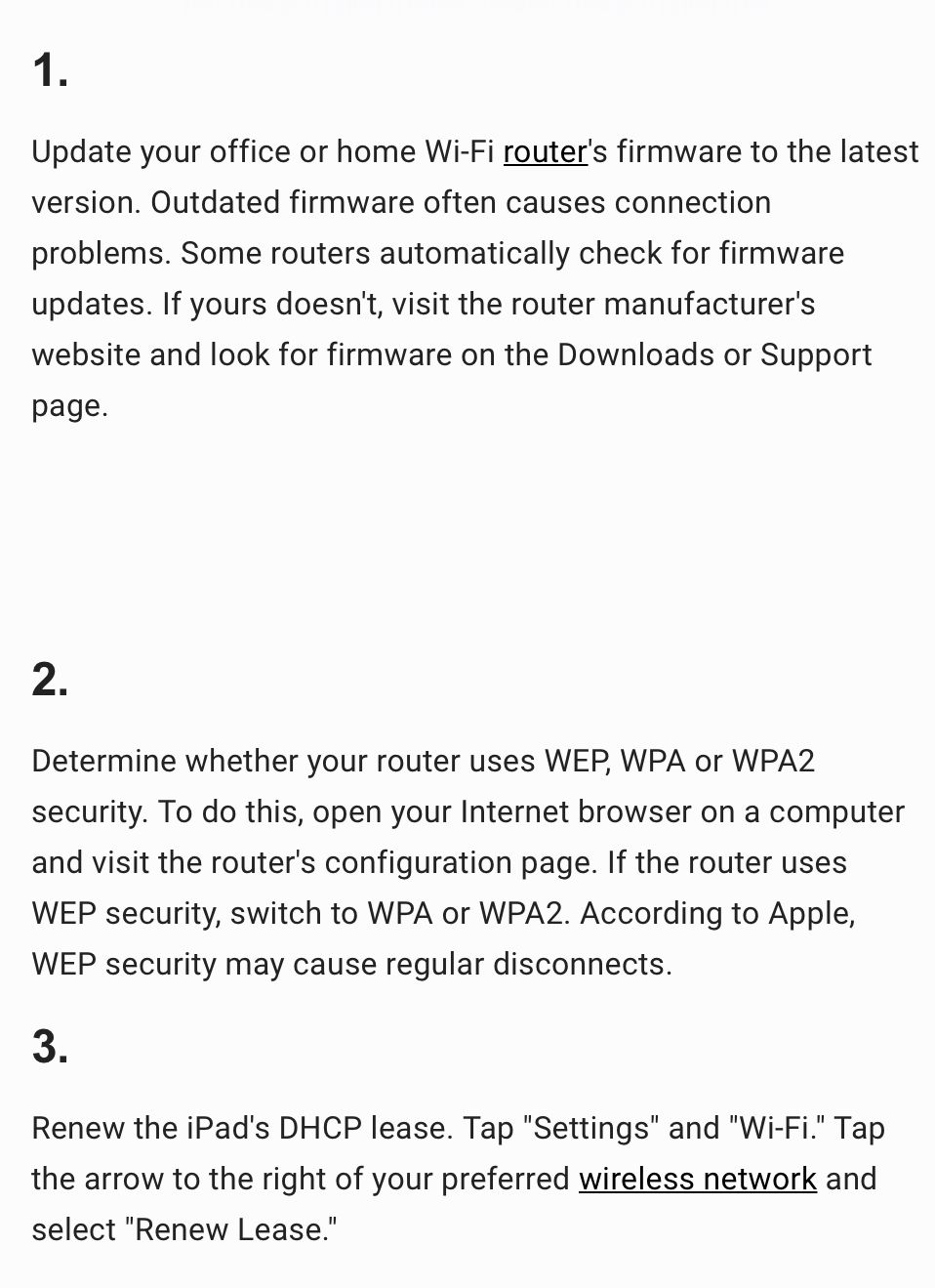
One more try. I found these on Chron (a small business site)I did have that WPA issue one time with an older iPad.
09-01-2022 07:01 PM
09-01-2022 07:04 PM
@SouthernBee Did you try doing a hard reset on your iPad? Do a search on how to do it... a hard reset can solve many problems...DW
09-01-2022 07:08 PM - edited 09-01-2022 07:16 PM
Turning off a router/modem will not reset it. You need to unplug the power cord from the electrical wall outlet, wait 15 seconds and then plug the router/modem back into the wall outlet. That will also update the router's firmware and clear out any unnecessary data inside the router.
But that doesn't seem like it's the problem. Sounds more like a network connection issue. Maybe reset the network settings.
Paging @gardenman
09-01-2022 07:18 PM
@dancingwoman wrote:@SouthernBee Did you try doing a hard reset on your iPad? Do a search on how to do it... a hard reset can solve many problems...DW
@dancingwoman : Yes. Tried this but didn't help.



Get sneak previews of special offers & upcoming events delivered to your inbox.
*You're signing up to receive QVC promotional email.

Find recent orders, do a return or exchange, create a Wish List & more.





Privacy StatementGeneral Terms of Use
QVC is not responsible for the availability, content, security, policies, or practices of the above referenced third-party linked sites nor liable for statements, claims, opinions, or representations contained therein. QVC's Privacy Statement does not apply to these third-party web sites.
© 1995-2026 QVC, Inc. All rights reserved. | QVC, Q and the Q logo are registered service marks of ER Marks, Inc. 888-345-5788
