





Stay in Touch
Get sneak previews of special offers & upcoming events delivered to your inbox.

Sign in
 Blogs & Forums
 Forums
 Blogs
Blogs

02-16-2023 01:46 PM
So many good recipes on this thread. How do I go about printing them? I have a MacAir....can't seem to figure it out.
02-16-2023 01:54 PM
I don't have a Mac ... but for my laptop I highlighted the recipe (including picture) then right clicked to get the print menu to come up, made sure I had the printer I wanted highlighted (vs say pdf printer), made sure I was on portrait, color (or b/w) and hit print. It worked for me that way.
Other option is to copy and paste to a document all the recipes you want, then you can edit to make sure each recipe fits on one page, w/in print parameters, etc. Then print from the document.
Those are my two methods. Good luck!
02-16-2023 01:58 PM
Easiest way on a Mac.....
Take a screen shot of the receipe(s)
Then print it out.
======================================

 to select the area of the screen to capture. To move the selection, press and hold Space bar while dragging. To cancel taking the screenshot, press the Esc (Escape) key.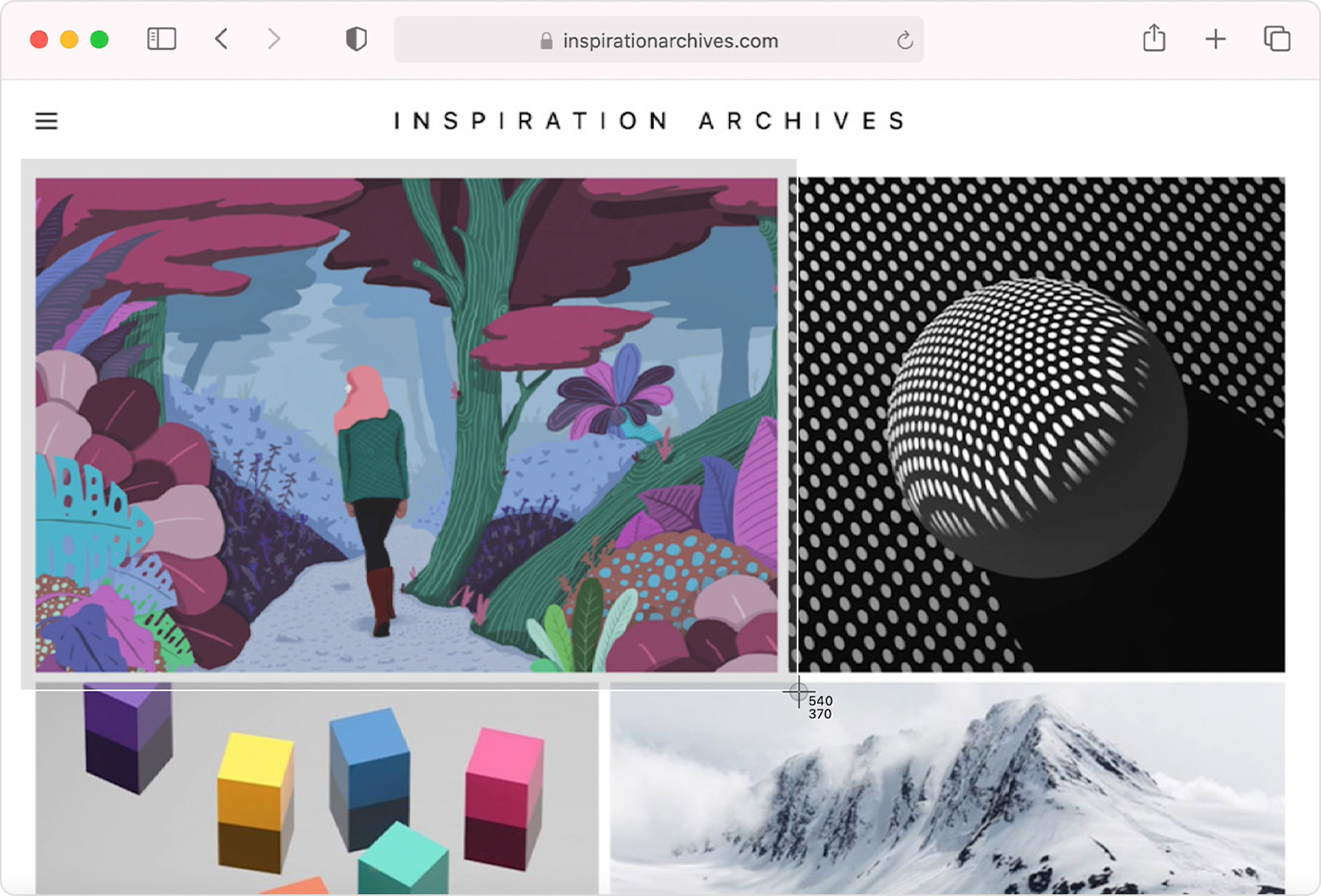
"Never argue with a fool. Onlookers may not be able to tell the difference."
02-16-2023 01:59 PM
@bargainsgirl - I copy and paste to my email, noting whose recipe it is and the date. I also change the font to what I want. I have a folder for recipes, so I will send the recipes to myself, then move the email to my recipe folder. 
02-17-2023 10:25 AM
I don't know anything about Macs, the display or operation. Just throwing this out there. Up in the top right of a post, there are three dots. Click on them and you will see an option to print. Click print ant the recipe will display. Then do your device or computer's print command.
02-17-2023 10:34 AM
@JeanLouiseFinch --good job!! Was just going to suggest those little dots too. and the print command on the PC is Ctrl and P----then your printer should pop up and go from there.
02-23-2023 07:42 AM
The little dots in the upper right will let you choose PRINT. Then RIGHT CLICK in the body of the recipe and you should see your print option there as well that is linked to your printer. Works well.
02-23-2023 11:44 AM
I just highlight the receipe itself and print that. That way I do not get the nic names or dates of the post.
03-01-2023 07:23 PM
@bargainsgirl ...What I do is turn the recipe into a pdf and send it to my printer.



Get sneak previews of special offers & upcoming events delivered to your inbox.
*You're signing up to receive QVC promotional email.

Find recent orders, do a return or exchange, create a Wish List & more.






Privacy StatementGeneral Terms of Use
QVC is not responsible for the availability, content, security, policies, or practices of the above referenced third-party linked sites nor liable for statements, claims, opinions, or representations contained therein. QVC's Privacy Statement does not apply to these third-party web sites.
© 1995-2026 QVC Group, Inc. All rights reserved. | QVC, Q and the Q logo are registered service marks of ER Marks, Inc. 888-345-5788
