


Stay in Touch
Get sneak previews of special offers & upcoming events delivered to your inbox.

Sign in
 Blogs & Forums
 Forums
 Blogs
Blogs

03-14-2016 03:11 PM
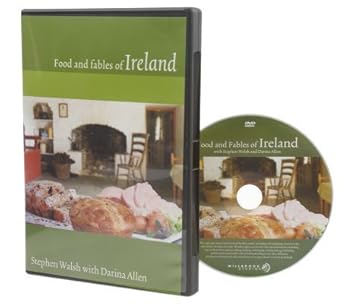
I own the Stephen Walsh DVD of Irish food and fables. Instructions say that a .pdf of the recipes is available to print if you insert the DVD into the computer's drive, find the "root menu" and then the recipes should be available.
I have done all the above steps, found the "root menu," clicked on it, but nothing happens.
Has anyone overcome a problem like this?
I haven't found any specific steps on the internet (so far).
03-14-2016 04:06 PM
@GingerPeach wrote:I own the Stephen Walsh DVD of Irish food and fables. Instructions say that a .pdf of the recipes is available to print if you insert the DVD into the computer's drive, find the "root menu" and then the recipes should be available.
I have done all the above steps, found the "root menu," clicked on it, but nothing happens.
Has anyone overcome a problem like this?
I haven't found any specific steps on the internet (so far).
Are there other titles when you open the root menu? What is the root menu/a folder/.exe file? Could it be something that need to be downloaded. Never seen this problem, just throwing a few things out.
I do believe a ROOT menu contains titles within titles. I know on my Panasonic Bluray player there are 2 menu options. Not so on my 2 Samsung Blurays.
Somebody here knows more than me for sure.
hckynut(john)
03-14-2016 04:29 PM
Hi John ( @hckynut )
Thanks for stepping in!
There are two options after inserting the DVD into my computer: the root menu and the title menu.
The title menu lists all the portions of the video (such as the onscreen visuals of the banter between Walsh and the other person as they prepare each recipe, as well as a title for each of the "fable" portions of the video.
Some internet sites say the "title" could be the same as the "root" but having clicked onto each of the "title" links, none leads me to the elusive .pdf.
And, as mentioned, the actual "root menu" link goes no farther than giving a kind of "shiver" to the screen.
I'll do some more online searching in the meantime.
03-14-2016 08:36 PM
@GingerPeach wrote:Hi John ( @hckynut )
Thanks for stepping in!
There are two options after inserting the DVD into my computer: the root menu and the title menu.
The title menu lists all the portions of the video (such as the onscreen visuals of the banter between Walsh and the other person as they prepare each recipe, as well as a title for each of the "fable" portions of the video.
Some internet sites say the "title" could be the same as the "root" but having clicked onto each of the "title" links, none leads me to the elusive .pdf.
And, as mentioned, the actual "root menu" link goes no farther than giving a kind of "shiver" to the screen.
I'll do some more online searching in the meantime.
Hi, @GingerPeach! What you've posted here is pretty much all I know about the subject but I wanted to add something just in case it helps. You might ask Stephen Walsh on his Facebook page (https://www.facebook.com/ConnemaraMarbleStephenWalsh/timeline?ref=page_internal). Also, his website doesn't sell this DVD but he has a "contact us" form and also he lists his email address at the very bottom of each page on his website if you scroll down to it -- I'm not sure what we can post here within the standards, but his website is linked in the "About" section of his Facebook page. Best of luck to you!
03-14-2016 08:39 PM
They've also started a chat in the "Holiday" forum, with the @irish_insights user name Stephen and his team use here:
"It's Always A Lucky Day when we CHAT with our friends at QVC!"
link goes to: http://community.qvc.com/t5/Holiday/It-s-Always-A-Lucky-Day-when-we-CHAT-with-our-friends-at-QVC/m-p...
03-14-2016 08:53 PM
I've cracked the case!!
(with the help of this website under "Accessing non-video files on your DVD": http://www.heinemann.com/dvdHelp.aspx)
I went to "computer" on my laptop (some computers show "my computer"), double-clicked on the E: drive entry, and all the parts of the DVD appeared, including the .pdf file with the recipes. I dragged the recipe .pdf to my desktop for future reference.
(I had already given a heart to the Irish Insights thread. Looking forward to Thursday!)
Thank you, both. Hope this helps in the future for someone.
03-14-2016 09:05 PM
Homegirl wrote:
I've cracked the case!!
(with the help of this website under "Accessing non-video files on your DVD": http://www.heinemann.com/dvdHelp.aspx)
I went to "computer" on my laptop (some computers show "my computer"), double-clicked on the E: drive entry, and all the parts of the DVD appeared, including the .pdf file with the recipes. I dragged the recipe .pdf to my desktop for future reference.
(I had already given a heart to the Irish Insights thread. Looking forward to Thursday!)
Thank you, both. Hope this helps in the future for someone.
Thumbs up to you, great detective work! I tried your link so I could read more about this, and the link had a wee bit of a problem, at least for me... I think this will go directly to the section you referenced.
link: http://books.heinemann.com/dvdhelp.aspx#NonVideo
Thanks for sharing this! I learned something new today!
03-14-2016 09:08 PM
Your link worked for me, @dooBdoo
The look of the page was different, but the wording is the same.
Have a great evening!
03-15-2016 11:58 AM
Glad to hear you got to that danged .pdf file. I, for some reason, was thinking more about a DVD player than a computer drive, duh to me. When I put a DVD in my computer drive I generally open the drive via My Computer(computer). I really never gave that a thought as it's been awhile since I've put a DVD in my computer.
Seems like I either learn something new regularly or get my brain shaken enough so parts fall out reminding me of some things I already know but are buried in those deep caverns inside my skull.
Thanks for the update, now if I can just remember. I am sure this will help others.
hckynut(john)



Get sneak previews of special offers & upcoming events delivered to your inbox.
*You're signing up to receive QVC promotional email.

Find recent orders, do a return or exchange, create a Wish List & more.






Privacy StatementGeneral Terms of Use
QVC is not responsible for the availability, content, security, policies, or practices of the above referenced third-party linked sites nor liable for statements, claims, opinions, or representations contained therein. QVC's Privacy Statement does not apply to these third-party web sites.
© 1995-2026 QVC Group, Inc. All rights reserved. | QVC, Q and the Q logo are registered service marks of ER Marks, Inc. 888-345-5788
