



Stay in Touch
Get sneak previews of special offers & upcoming events delivered to your inbox.

Sign in
 Blogs & Forums
 Forums
 Blogs
Blogs

11-05-2017 04:47 PM
Your friend IG said you may be able to tell me how to get rid of the big red X by my nic sense I tried to ad pictures of my dog? They were there for a minute, then gone, sigh...
Sorry to be so helpless when it comes to computer knowledge.
Thank you for the help!!!
11-05-2017 05:30 PM
11-05-2017 05:55 PM - edited 11-05-2017 05:58 PM
Hi, @Jackhound Mom and @tansy! Thanks for the notification, @tansy! @Jackhound Mom, We all have questions so don't be worried about asking.❤️ Here are the instructions I posted on another thread, explaining how I add and change my avatar:
Some posters go into their "Settings" using the "Avatar" tab but recently there have been glitches with that method. I don't use "Settings." Here's what I do:
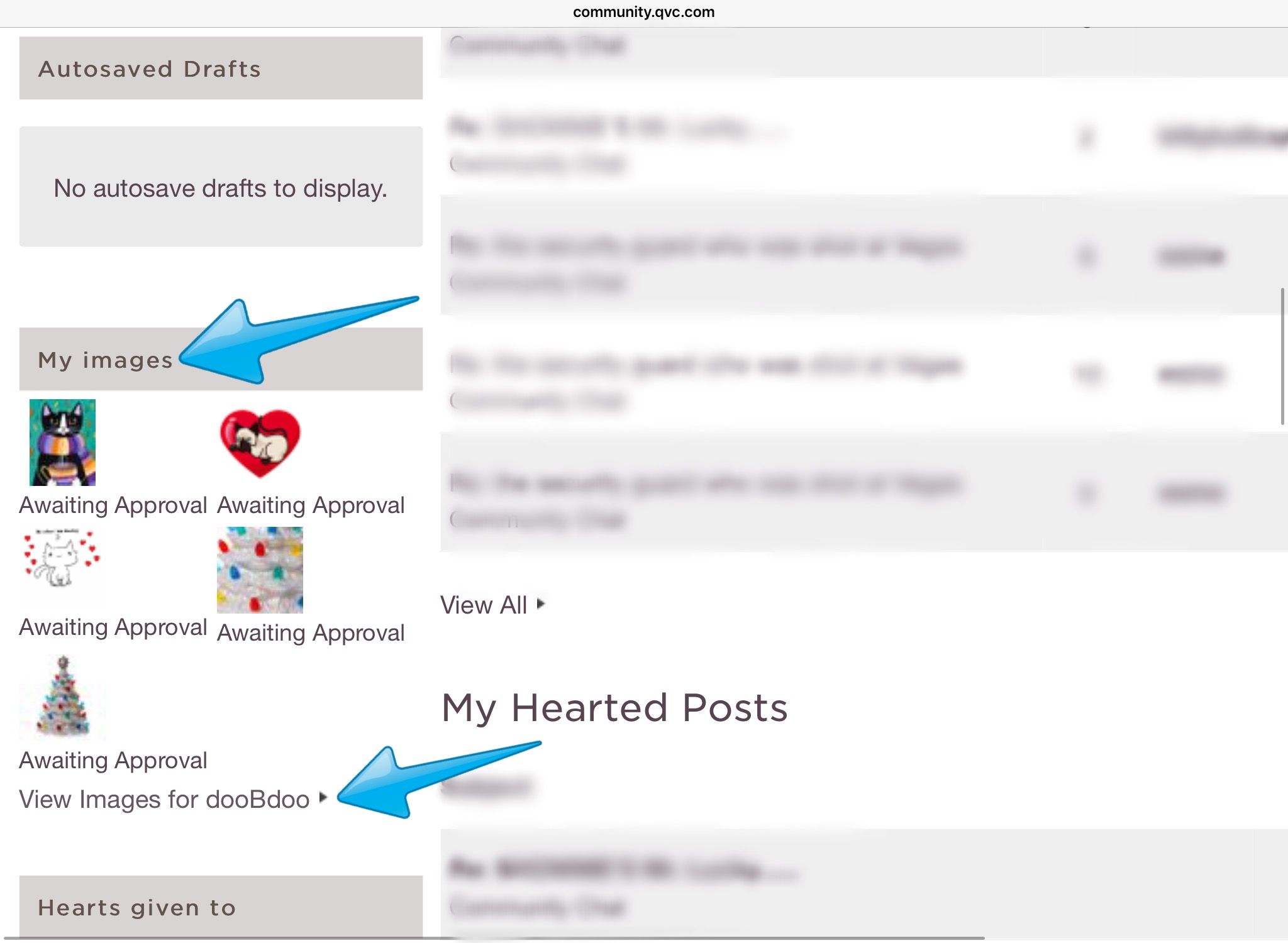
1 -- Go to your Profile and under "My images" choose "View Images for [your name].
2 -- Then,
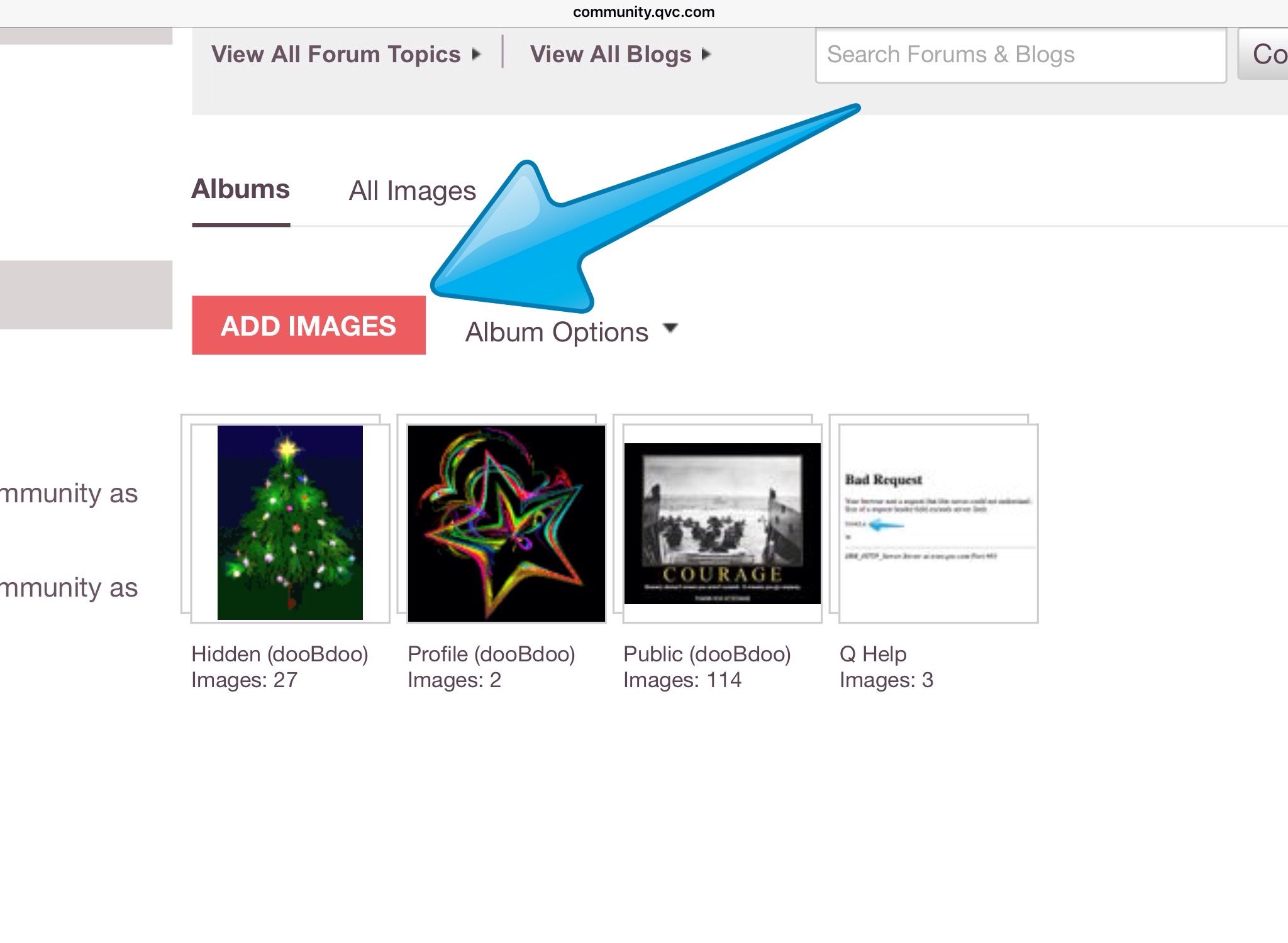
either tap/click on the words "ADD IMAGES" and go through all the steps for a new image -- and be sure to click/tap SAVE -- ( or you can select one of your existing images.)
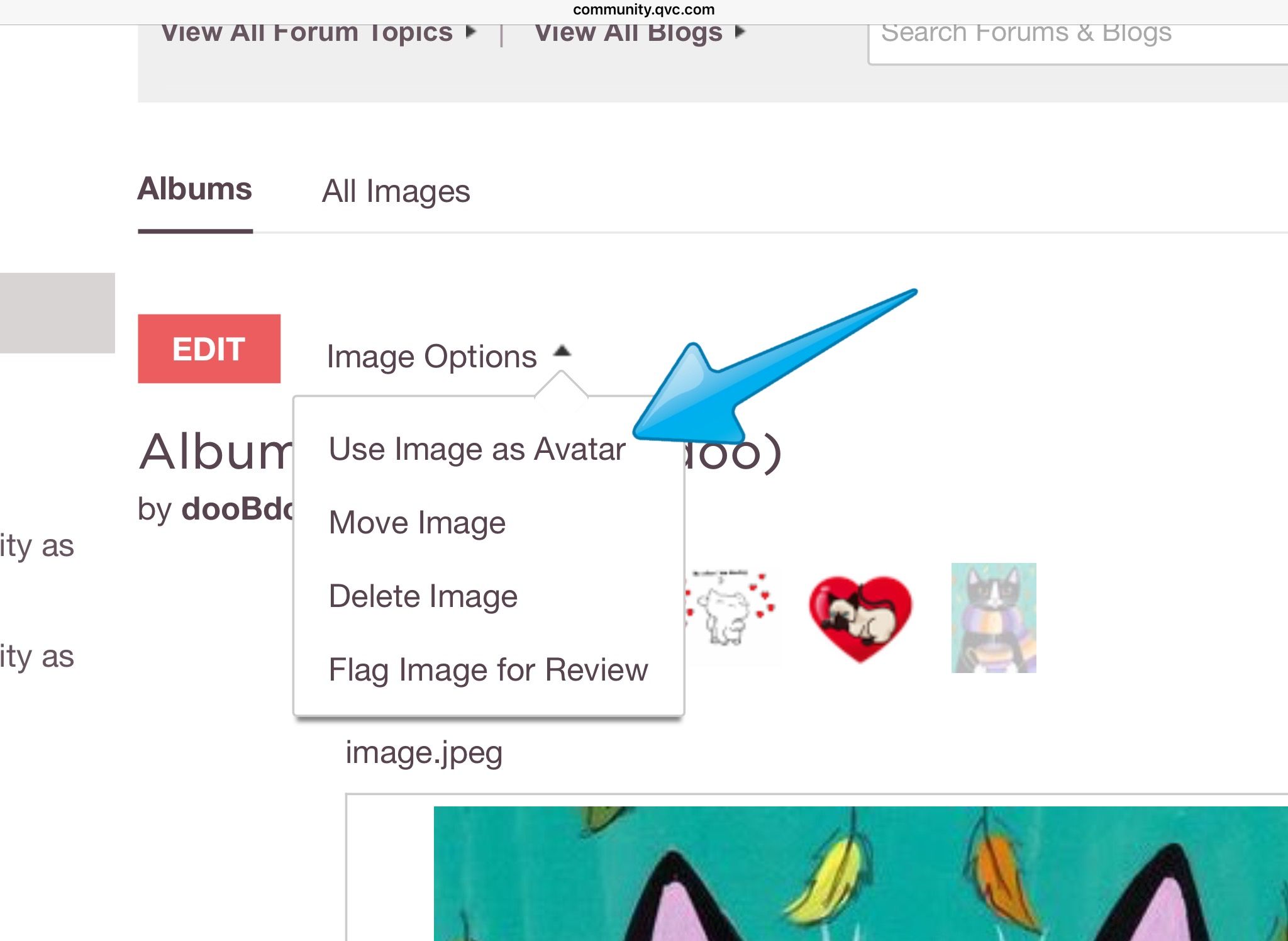
3 -- Next, click/tap "Image Options" just above the picture and select "Use Image as Avatar." Normally, this will take effect immediately.
With a newly-added image or with an existing one, you will see the "Image Options" drop-down menu and you can use that to change your avatar.
11-05-2017 06:01 PM
You’re welcome, @dooBdoo.
If I use a pic from my iPad photos for my avatar, will my personal info be exposed?
11-05-2017 06:11 PM - edited 11-05-2017 07:37 PM
I want to try and explain why the red "X" (a broken link) appears where there once was an image, because this question crops up now and then.
When we add an avatar, the image next to our name is not a copy of the image -- it actually is a link back to the original image residing in our profile image albums. If we delete the picture from the image album, the link is broken.
This occurs within posts, also. When we post and use the "Insert/edit image" feature and choose "From My Uploaded Images" that goes over to our profile image albums and creates a link. So, the image is not saved in the post, itself -- the post is "looking" over to our profile images to use the picture saved there. If we remove the image from the album, we break the link and the post no longer can find the image. The red "X" indicates this.
That might be clear as mud... but I hope it makes some sense.🙃😜😊
11-05-2017 06:16 PM - edited 11-06-2017 12:12 PM
tansy wrote:You’re welcome, @dooBdoo.
If I use a pic from my iPad photos for my avatar, will my personal info be exposed?
Your personal info won't be exposed. One of the benefits of the new forum platform software is that it automagically converts images saved to our profile albums to show the Q site (or the Lithium hosting site) as the source. You can test this by a touch-and-hold on the image after adding it here, hovering a cursor over it, examining/inspecting the image (the way to do this varies from one browser to another) and by converting the post it's in to HTML and looking there.
11-05-2017 06:19 PM
11-05-2017 06:29 PM - edited 11-05-2017 07:01 PM
tansy wrote:Thanks, @dooBdoo.
I like your current pic🙂
You're welcome, @tansy! Thanks! I decided to give the kitty a wee bit of warmth as we anticipate cooler temps here. (I want to give credit in case anyone's interested... these pix are creations of KilkennyCat Art by R. Conners.) Another example:
11-05-2017 07:22 PM
11-05-2017 07:28 PM
Hippiified wrote:
Thanks. That is good to know, because I had been fearful of posting pics.
You're welcome, @Hippiified!😊 I stayed away from them because of the privacy issues on the old platform, too, for the most part. If we link an image to a site that identifies us, that's still a problem. But those we save to our profile albums show the hosting site as the source.



Get sneak previews of special offers & upcoming events delivered to your inbox.
*You're signing up to receive QVC promotional email.

Find recent orders, do a return or exchange, create a Wish List & more.






Privacy StatementGeneral Terms of Use
QVC is not responsible for the availability, content, security, policies, or practices of the above referenced third-party linked sites nor liable for statements, claims, opinions, or representations contained therein. QVC's Privacy Statement does not apply to these third-party web sites.
© 1995-2026 QVC Group, Inc. All rights reserved. | QVC, Q and the Q logo are registered service marks of ER Marks, Inc. 888-345-5788
