




Stay in Touch
Get sneak previews of special offers & upcoming events delivered to your inbox.

Sign in
 Blogs & Forums
 Forums
 Blogs
Blogs

06-07-2020 08:33 AM - edited 06-07-2020 08:36 AM
@Nuttmeg @software @dooBdoo ...
I have a Sony all-in-one desktop, made in 2012. I believe that was the last year Sony made desktops.
My mouse has been acting "strange" lately and I think it's time for a new one. I've searched high and low, but can't find one made by Sony.
What brand, in your opinion, would be most compatible with the Sony Desktop?
06-07-2020 08:40 AM
Any brand should work. They are usually less than $10 for a standard type. I would not go to great lengths to research this unless you want special features regarding ergonomics or wireless
06-07-2020 08:42 AM
Good Morning @SoX Am I correct in assuming there are USB ports on the desktop? If so, I highly recommend Logitech wireless mouses. I don't work for the company however I'm Logitech girl. I have more than one mouse and their computer speaker systems.
06-07-2020 08:47 AM
@Bird mama wrote:niGood Morning @SoX Am I correct in assuming there are USB ports on the desktop? If so, I highly recommend Logitech wireless mouses. I don't work for the company however I'm Logitech girl. I have more than one mouse and their computer speaker systems.
Yes, Bernie, there are USB ports ... I have a wireless mouse and would prefer another.
06-07-2020 08:47 AM
I'm back, lol. My favorite model number of Logitech mouse was the M505. I liked that one because it was weighty.
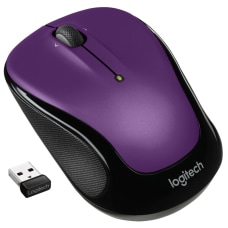
I'm using two M325's.
One is vivid violet
the other is called Nature's jewelry
Whoa, sorry the second one came out so big.
I've used a wireless mouse for many years.
06-07-2020 09:20 AM
I'm using a Microsoft wireless mouse that's been great. It's three years old (give or take a bit, it could be four years old) and still on the original batteries. I used to turn it off each day but stopped that about two years ago and it's still just puttering along. It's a very simple, basic mouse (scroll wheel in the middle and left and right buttons) but it does what I need it to do and does it well. I got it at Walmart and it wasn't expensive. It's kind of neat in that in the battery compartment there's a space to store the dongle if you're taking the mouse someplace. More people need to replace a mouse because they lost the dongle than any other reason. Microsoft makes it a bit harder to lose the dongle. (Assuming you put it where it belongs when on the move.)
06-07-2020 09:21 AM - edited 06-07-2020 09:21 AM
Hey, I like that blue one @Bird mama ...
I just got off the phone with Sony Support ... they tell me that any good mouse will do @LizzieInSRQ ... so off I'm off to see the wizard, so to speak.
Thanks so much, ladies ... and @gardenman !
06-07-2020 09:23 AM
On Thursday my husband bought a new mouse. He got a M187 Mini Wireless.
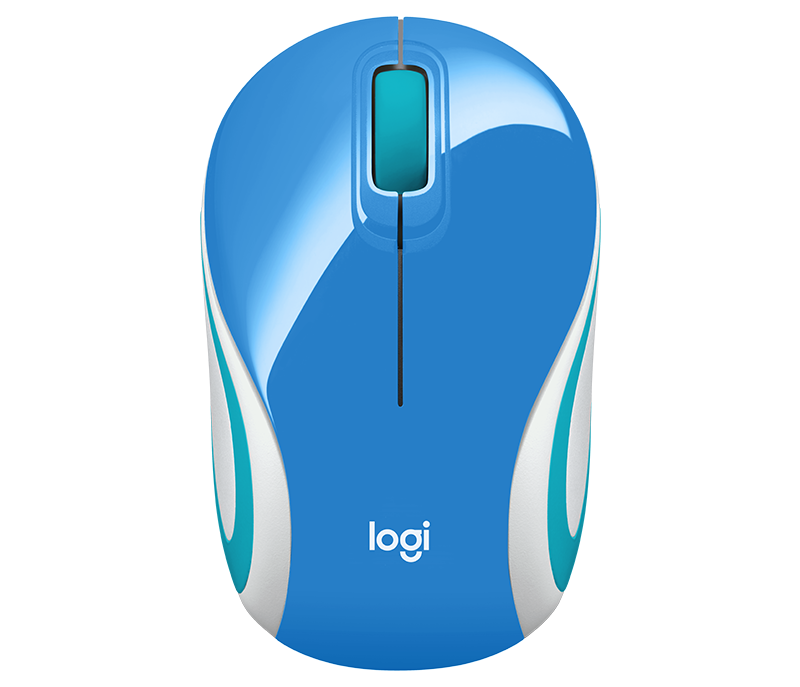
He didn't get that exact design. But he REALLY likes it. I guess because he had trouble with his old mouse. So something that works, makes you happy.
It is a universal mouse and comes with a receiver.
06-07-2020 09:41 AM
I would suggest looking for an Amazon Basics wireless mouse. There are few colors available.
If you need a new gel mouse pad, Amazon sells the pad and mouse together.
You mouse may be dirty. It probably can be cleaned and kept as a spare. You should find directions online.
06-07-2020 09:51 AM
I think that it's all going to come down to personal preference...
As you can see, we all tend to like different brands. 
As for me, I prefer HP. They tend to work the best for me. I use a wireless mouse. I use one with my Chromebook, and one with our Windows laptop.
My husband and I have both tried the Logitech mice, and they didn't seem to work as well for either of us.



Get sneak previews of special offers & upcoming events delivered to your inbox.
*You're signing up to receive QVC promotional email.

Find recent orders, do a return or exchange, create a Wish List & more.






Privacy StatementGeneral Terms of Use
QVC is not responsible for the availability, content, security, policies, or practices of the above referenced third-party linked sites nor liable for statements, claims, opinions, or representations contained therein. QVC's Privacy Statement does not apply to these third-party web sites.
© 1995-2026 QVC Group, Inc. All rights reserved. | QVC, Q and the Q logo are registered service marks of ER Marks, Inc. 888-345-5788
