


Stay in Touch
Get sneak previews of special offers & upcoming events delivered to your inbox.

Sign in
 Blogs & Forums
 Forums
 Blogs
Blogs

10-19-2019 11:11 AM
I went to the google play store and looked at the call blocker apps and reviews. You might want to try that.
10-19-2019 11:52 AM
My Lg phone has a call blocking feature.
Our landline does too. It has eliminated 90% of the spam calls. With the others, if we don't recognize the number, we don't answer.
10-19-2019 12:56 PM
@phoenixbrd : Still searching how to set cell phone to accept only calls in my contact list.
House land line we have the call blocker with the red button. Our Panasonic phones have a call block button.
For the cell phone found the call block in the call log information.
For the cell phone still trying to find how to block unwanted text messages because the tip provided by tracfone didn't work on my phone. Thank you. Southern Bee
10-19-2019 05:37 PM
I use Hiya and it blocks the numbers but the callers have banks of hundreds of numbers so it really doesn't help much!
10-19-2019 07:55 PM
I Googled and found that Tracfone recommends an app called Call Detector. I installed that yesterday and I'm hoping that it will work. My husband has the paid version of Hiya and he still gets a lot of spam or telemarketer calls. I'm going to install Call Detector on his, too.
10-20-2019 08:18 AM
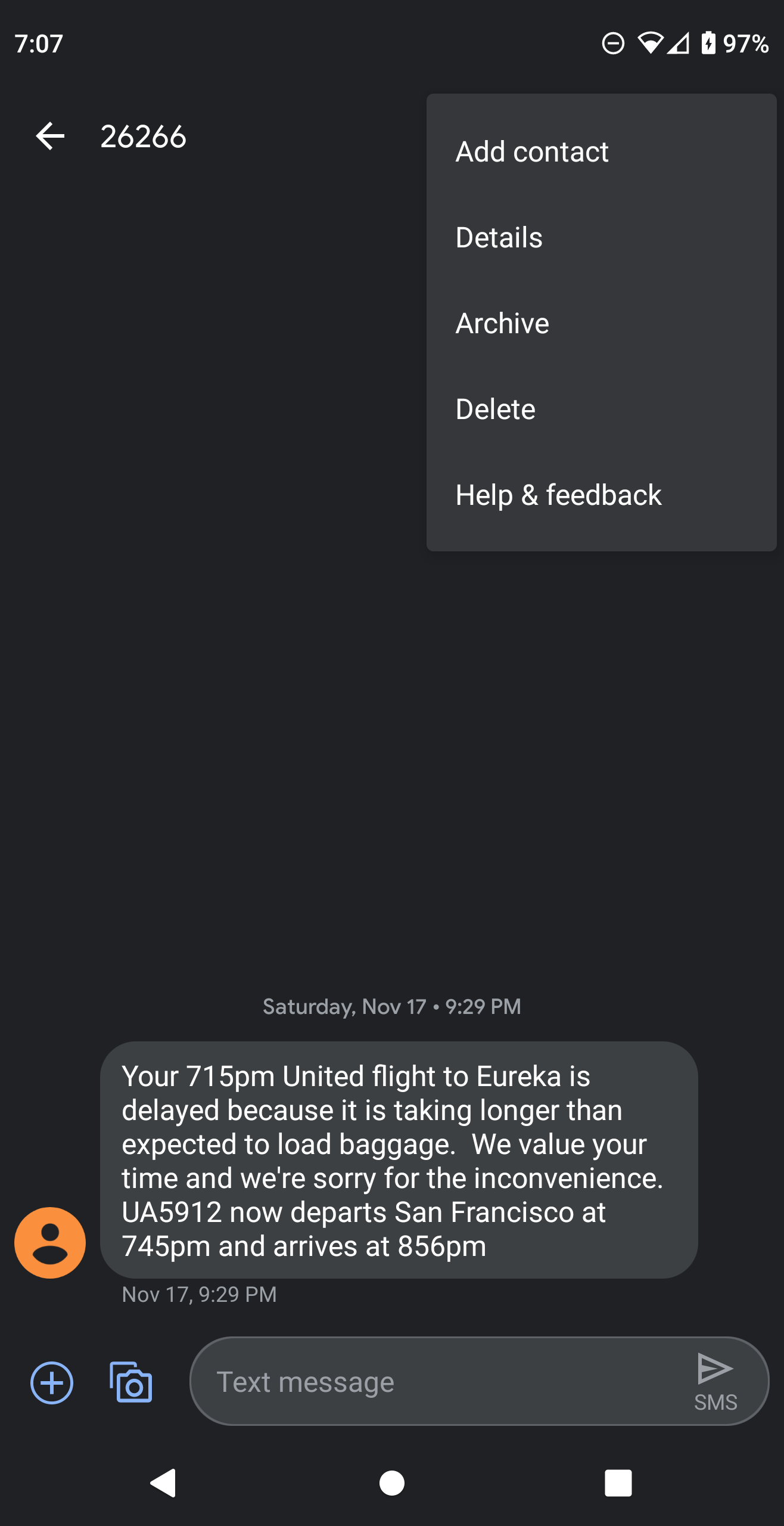
@SouthernBee I have a different phone than yours (not LG) and I'm on the operating system Android Q, but I block unwanted texts by:
a. Clicking on the text and click on the 3 dots which gives me additional options and I click on "Details" and I have the option to "block and report spam".
b. Or you can go to your blocked call list (click on your phone icon and go to blocked calls and click on the dial pad) and manually add the text number (mines are usally anywhere from 3-6 digits).
c. Or, if the texts are coming from a legitimate business, you can just simply text: STOP



Get sneak previews of special offers & upcoming events delivered to your inbox.
*You're signing up to receive QVC promotional email.

Find recent orders, do a return or exchange, create a Wish List & more.





Privacy StatementGeneral Terms of Use
QVC is not responsible for the availability, content, security, policies, or practices of the above referenced third-party linked sites nor liable for statements, claims, opinions, or representations contained therein. QVC's Privacy Statement does not apply to these third-party web sites.
© 1995-2025 QVC, Inc. All rights reserved. | QVC, Q and the Q logo are registered service marks of ER Marks, Inc. 888-345-5788
