


Stay in Touch
Get sneak previews of special offers & upcoming events delivered to your inbox.

Sign in
 Blogs & Forums
 Forums
 Blogs
Blogs

11-01-2017 12:29 PM
I am unable to upload a new Avatar. I have tried on both Safari and Chrome. I click on Settings, then Avatar and then Upload An Avatar. I get a blank pop-up screen.
I posted about this once before and was told QVC was aware of the problem. Yesterday I noticed someone had a Halloween avatar and asked how they got it when I couldn't upload a new Avatar. They had just uploaded it, and then they changed it to a different one after posting about it. Is there something wrong with my computer or is there still a problem with this?

11-01-2017 12:34 PM
Hi @NickNack did you try clearing your cookies when you changed browsers? That may help.
11-01-2017 12:39 PM
@Anonymous I just cleared my cookies on both browsers and still can't change my Avatar.
11-01-2017 12:42 PM
i was easily able to change mine two days ago. i was using the firefox browser on my laptop.
11-01-2017 01:21 PM
Thank you @Anonymous.
11-01-2017 01:40 PM
Hi @NickNack, are you using a laptop, tablet or phone?
11-01-2017 01:55 PM
I'm using a laptop. It's a MacBook Air.
11-01-2017 03:01 PM
@Anonymous
I also can't upload a new avatar. A while back I had asked how to remove a couple of uploaded images in my avatars, because the pets had passed and it was too painful at the time to see them in my uploaded photos.
I followed the instructions given by the Social Team and it did remove those images, but now I can't upload new images to use as avatars.
I upload them but they never show up here to use as an avatar., I just have a big 'X' where my avatar should be.
I'm on a laptop using IE, if that helps any.
TIA!
11-01-2017 03:50 PM - edited 11-01-2017 04:55 PM
@NickNack, @Anonymous, @sunshine45, @KingstonsMom
I just tried adding an avatar via "Settings" and it worked, so I'm not sure why some see a problem and others don't. (I tried my iPhone 5, iPad 3, and Mac, all with current operating system and browser software versions. I use Safari for the mobile devices, and I tried Safari, Chrome and Firefox with the Mac.)
However, that's not the way I normally change my avatar. I don't use "Settings." Here's what I do:
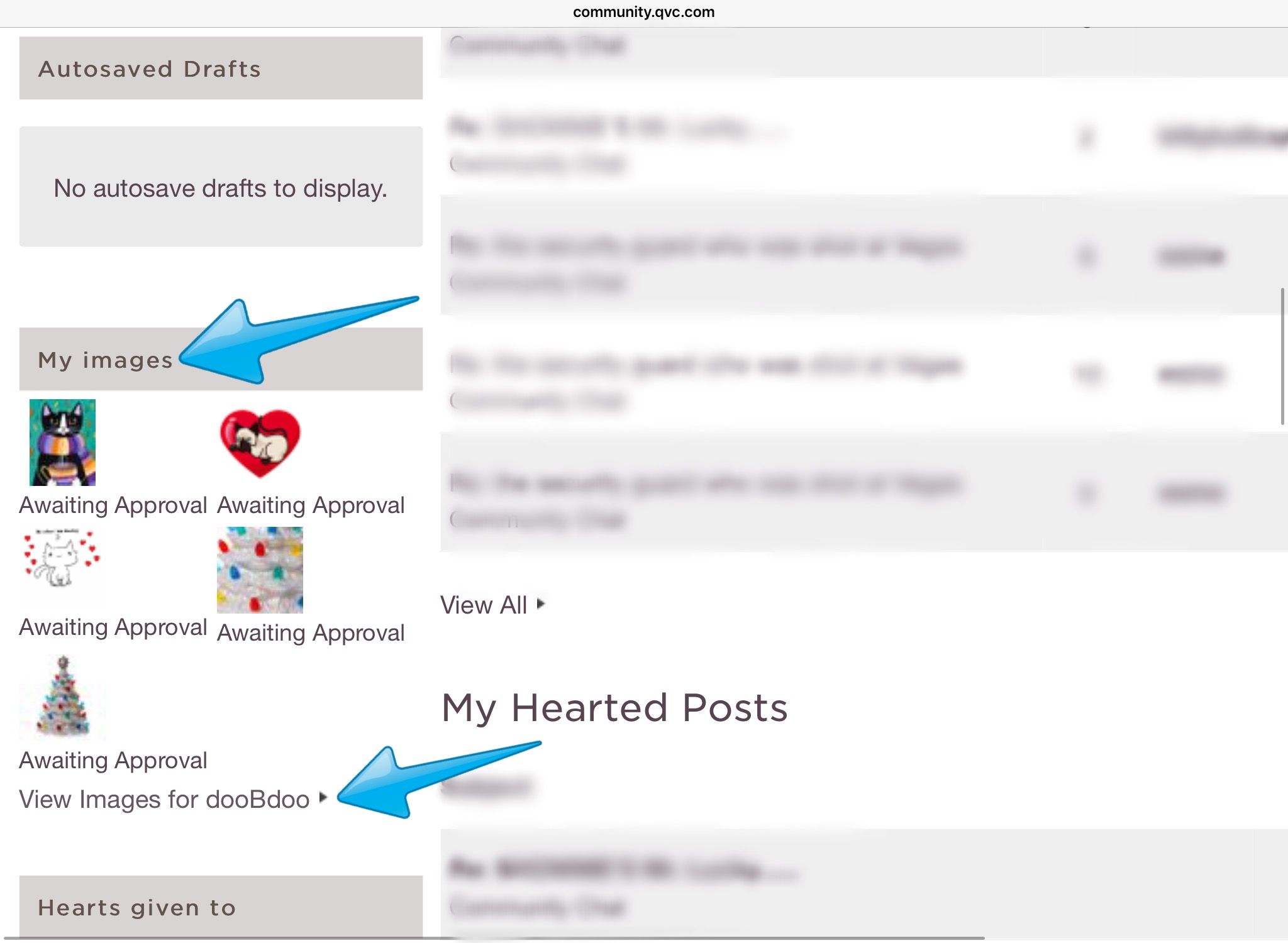
1 -- Go to your Profile and under "My images" choose "View Images for [your name].
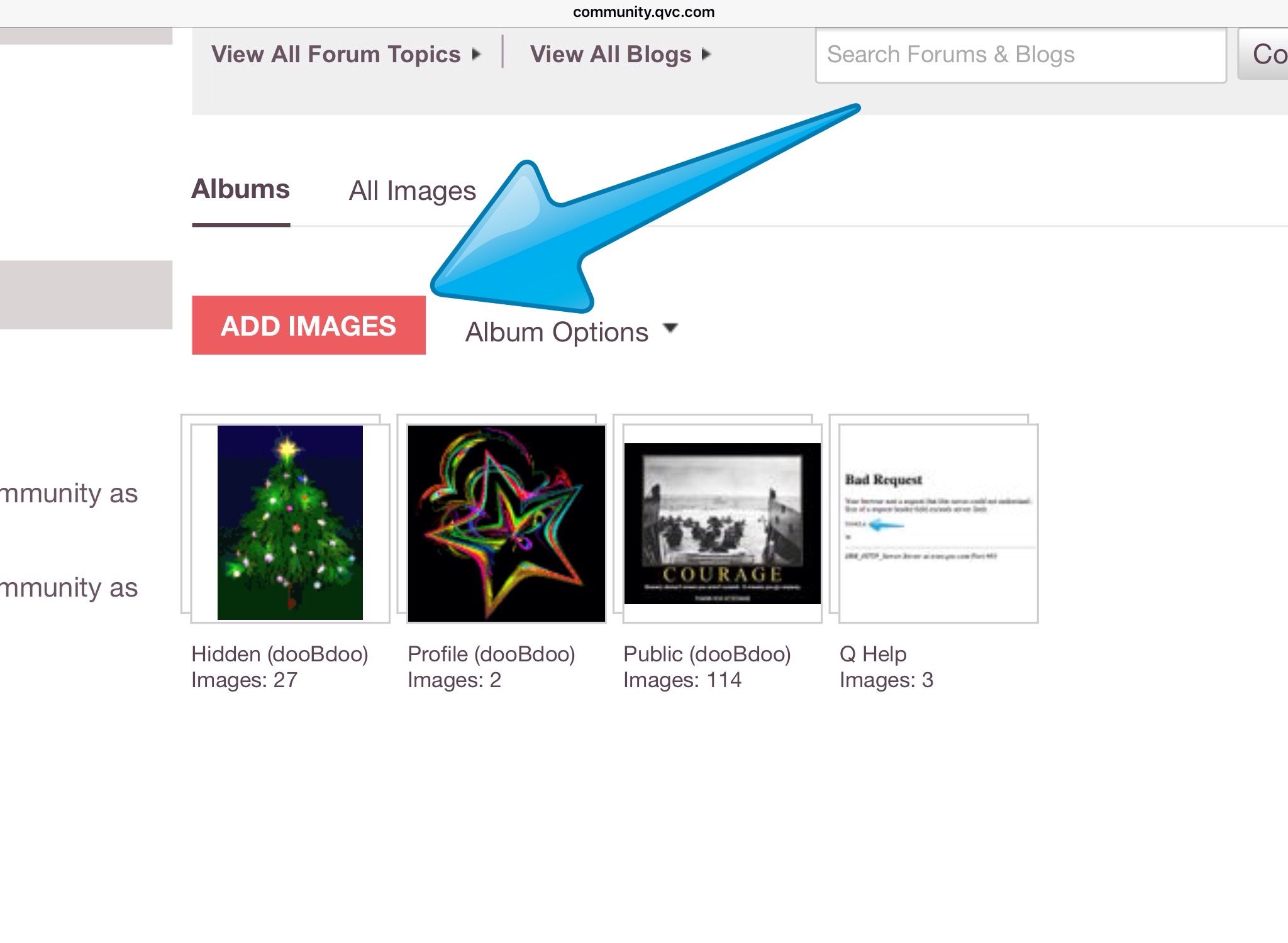
2 -- Then, either tap/click on the words "ADD IMAGES" and go through all the steps for a new image (and be sure to click SAVE) or select one of your existing images.
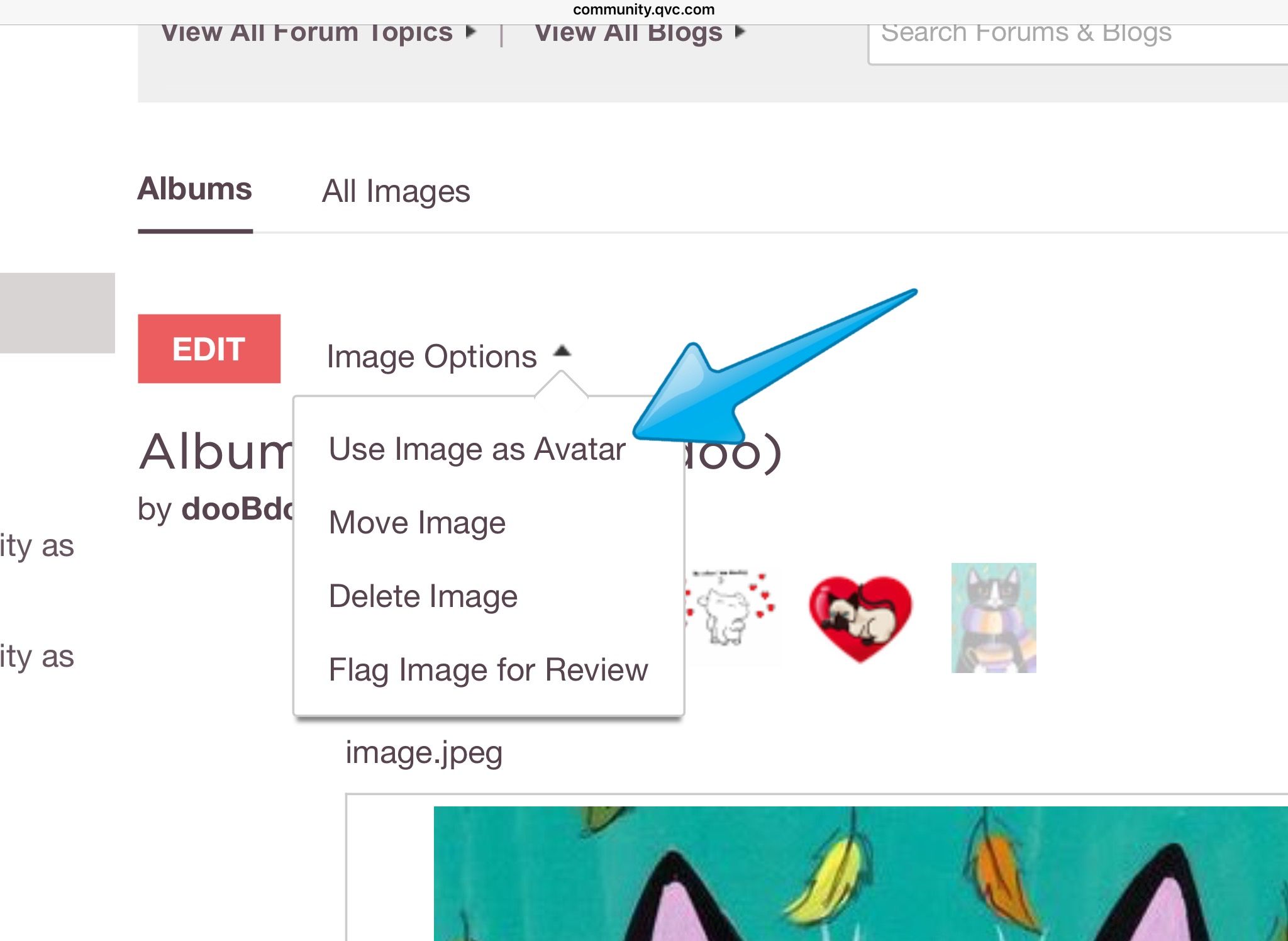
3 -- Next, click/tap "Image Options" just above the picture and select "Use Image as Avatar." Normally, this will take effect immediately.



Get sneak previews of special offers & upcoming events delivered to your inbox.
*You're signing up to receive QVC promotional email.

Find recent orders, do a return or exchange, create a Wish List & more.






Privacy StatementGeneral Terms of Use
QVC is not responsible for the availability, content, security, policies, or practices of the above referenced third-party linked sites nor liable for statements, claims, opinions, or representations contained therein. QVC's Privacy Statement does not apply to these third-party web sites.
© 1995-2026 QVC Group, Inc. All rights reserved. | QVC, Q and the Q logo are registered service marks of ER Marks, Inc. 888-345-5788
